How verification works
What our team checks before a professional appears.
A professional cannot show up in search, in Canvas or in a conversation until Tatva has checked them.
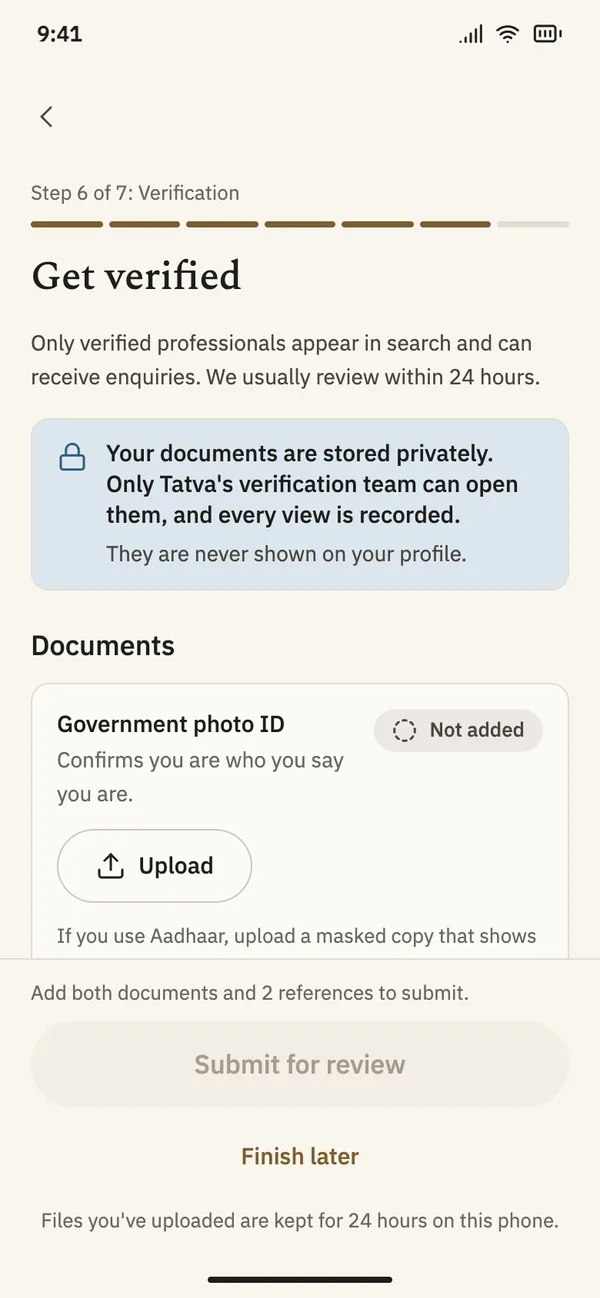
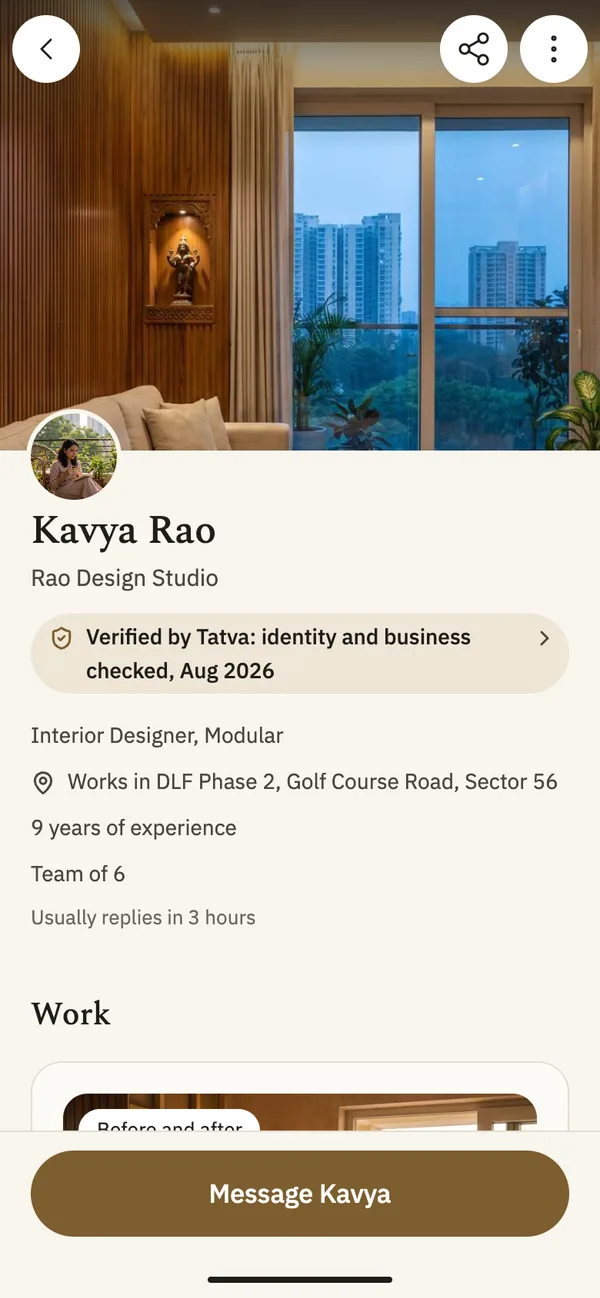
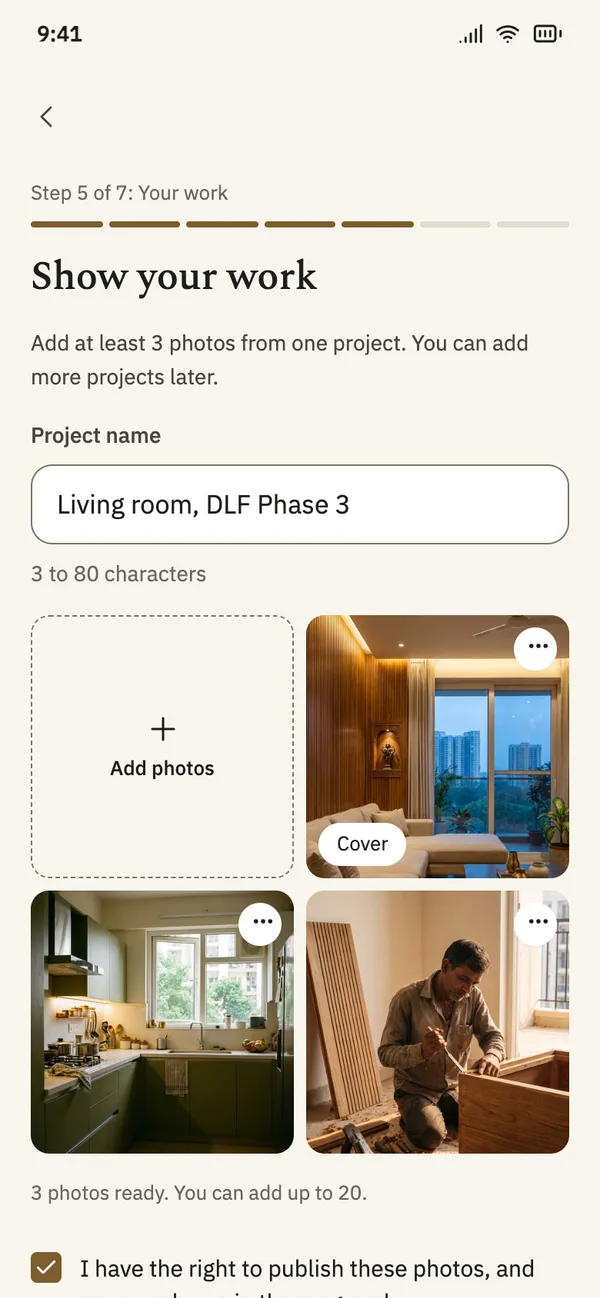
App screens with sample content.
What it does
Identity
A government photo ID. An Aadhaar card must be a masked copy.
Business
A document that shows the business is real.
References
Two people the professional has worked with.
Their work
Photos from at least one real project. Photos are checked before they show in Canvas.
Verification, step by step
Step 1
Documents, kept private
Professionals upload their documents in the app. Only Tatva’s verification team can open them, every view is recorded, and they are never shown on a profile.
Step 2
Their work, checked
A professional adds photos from a real project and confirms they have the right to publish them. Photos are checked before they appear.
Step 3
A badge with a date
The profile says what was checked and the month it was checked.
Questions
- What does verification not mean?
- It means the person is who they say they are, the business is real and the work is theirs. It does not mean Tatva has inspected every job or guarantees the work.
- What happens if something goes wrong?
- Report the profile, the photo or the message in the app. You can also block the person. Our team reviews every report.
- Can a badge be taken away?
- Yes. If a professional no longer meets the checks, the badge comes off and the profile stops showing.