
Professionals
See who you are hiring before you message them.
Every professional on Tatva has a profile with their real work, the areas they serve and what our team checked. You choose who to talk to.
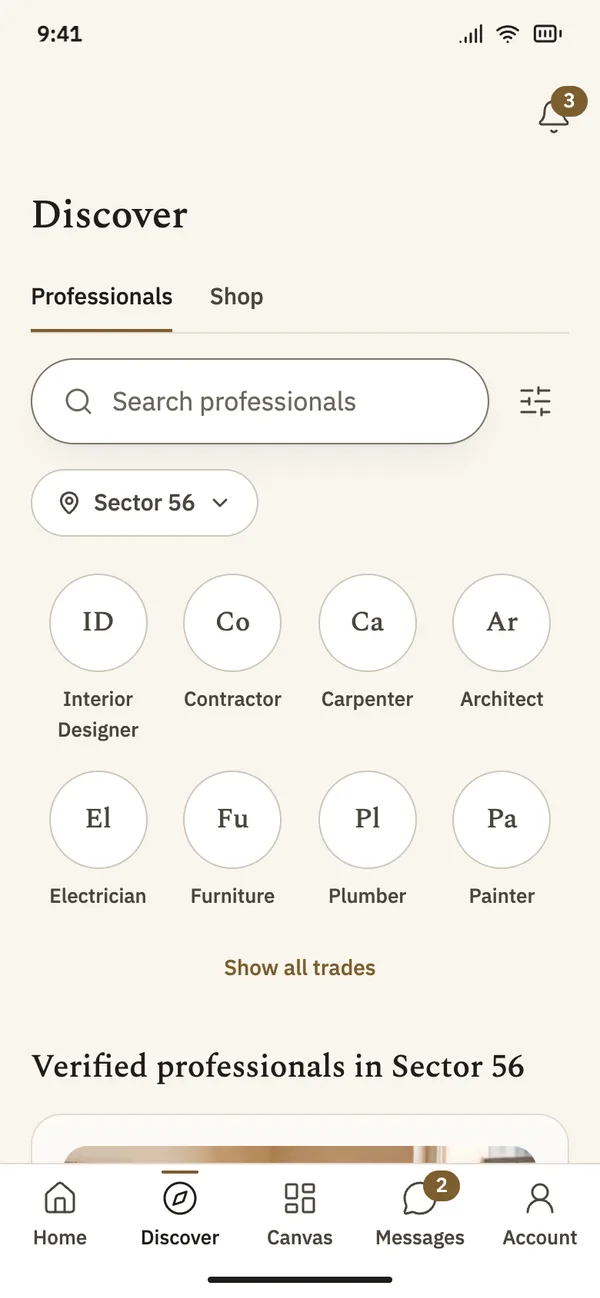
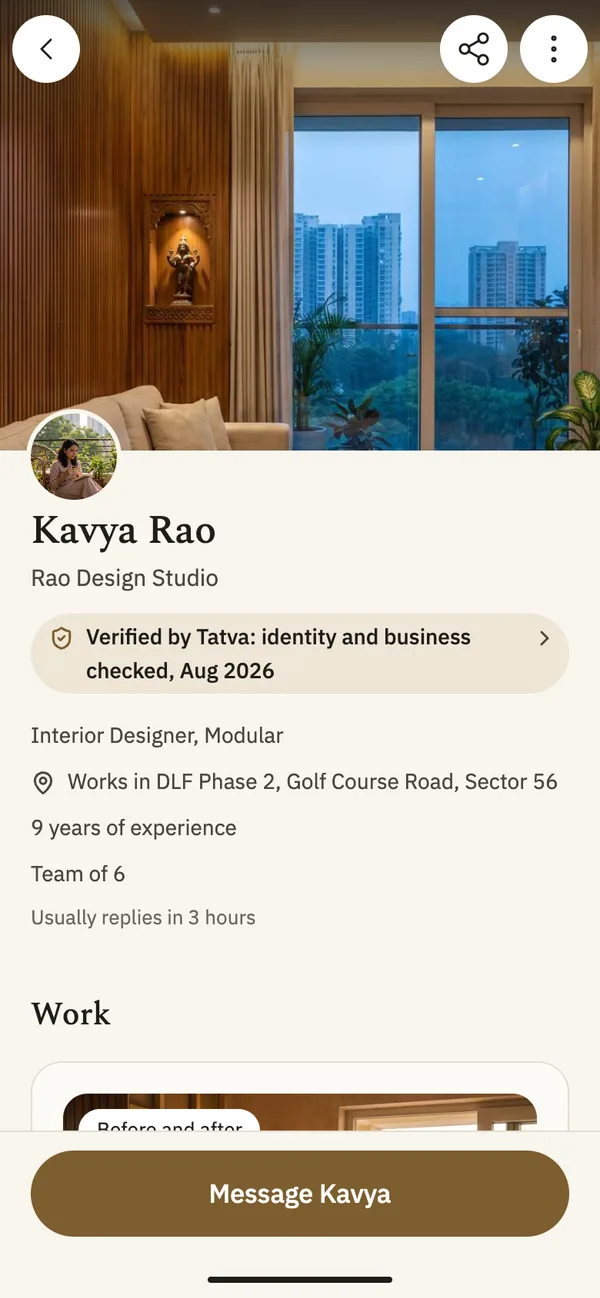
App screens with sample content.
What it does
Checked before they appear
Our team checks identity and business before a profile goes live. The profile says what was checked, and when.
Their real work
Photos of finished rooms, posted by the professional who did the work.
Near you
Filter by trade and by the area you live in.
Message them in the app
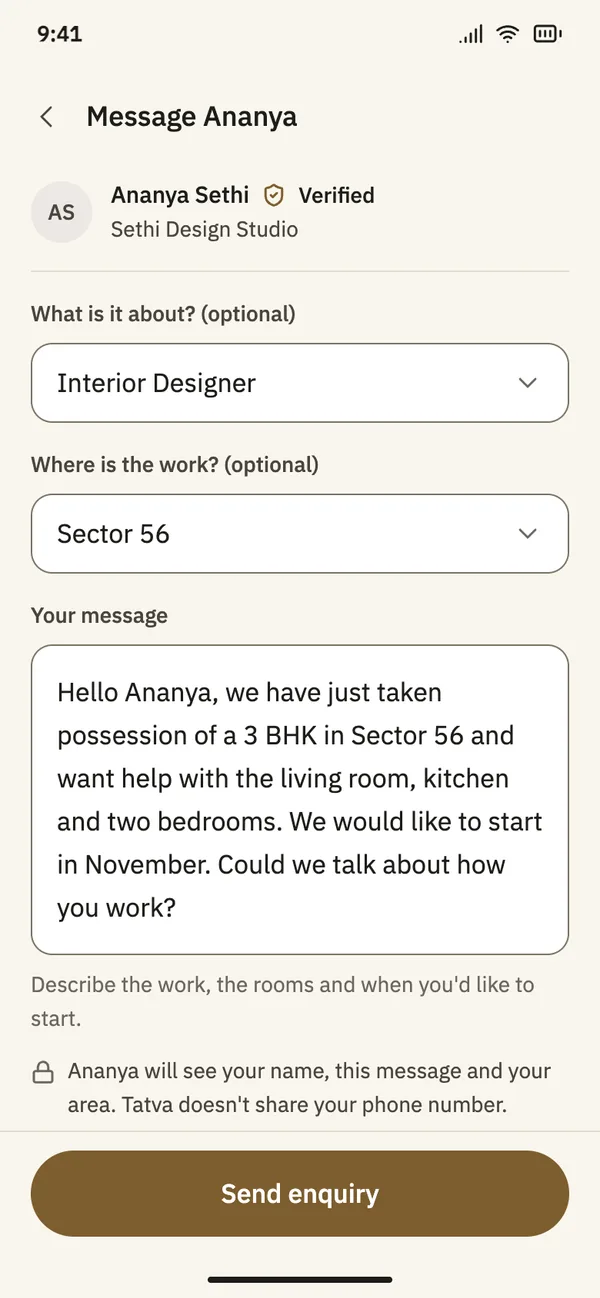
Send an enquiry from a profile. Your phone number stays private.
How it works in the app
Step 1
Choose a trade and your area
Interior designers, contractors, carpenters, architects, electricians, plumbers, painters and more. Pick your area and the list shows who works there.
Step 2
Open a profile
See their work first, then the areas they serve, their team, how long they have worked and what Tatva checked.
Step 3
Send an enquiry
Say what the work is about, where it is and when you would like to start. The professional replies in the app.
Messages
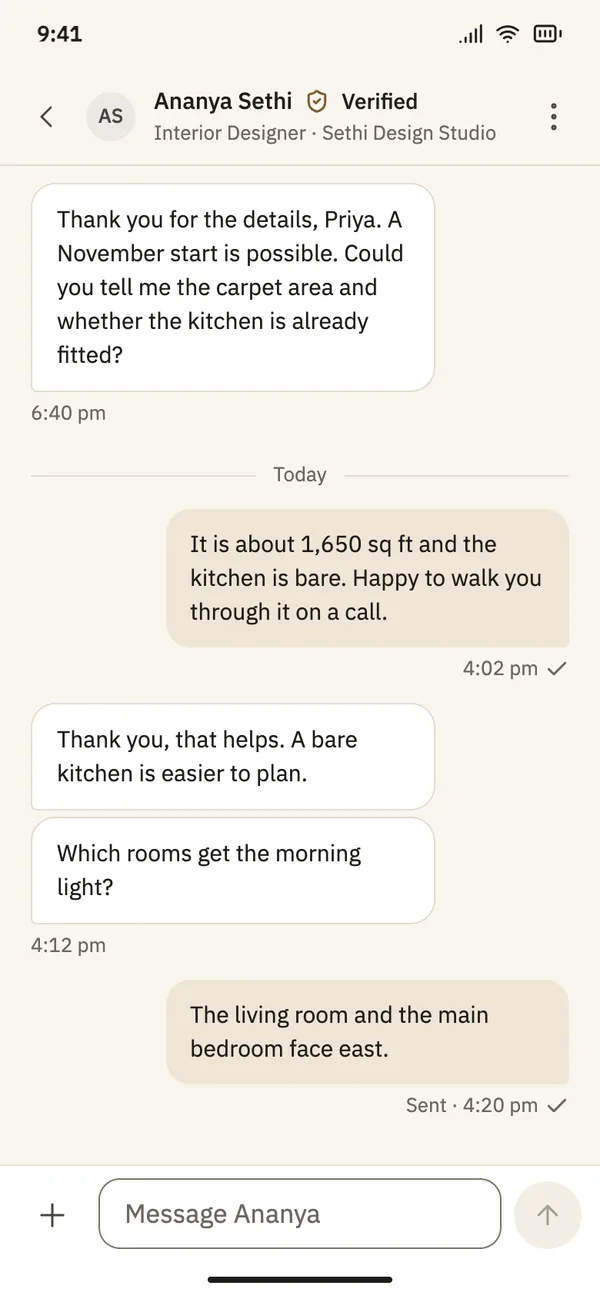
Talk to professionals without giving out your number.
Send an enquiry from a profile or from an idea. The conversation stays in the app, with boards and photos in the same thread.
Your number stays private
The professional sees your name, your message and your area. Tatva does not share your phone number.
Know when they reply
Turn on notifications and the app tells you when a professional writes back.
Report or block
If something is wrong, report the message or block the person.
Boards in the thread
Share a board so the professional sees exactly what you have in mind.
Questions
- Does every professional on Tatva have a verified badge?
- Yes. A professional is only shown after our team has checked them. The badge says what was checked and the month it was checked.
- Can I see a professional’s phone number?
- No, and they cannot see yours. You talk in the app until you both decide to share more.
- Which areas does Tatva cover?
- Tatva starts in Gurugram. Each professional lists the areas they work in.